


Official TR Photo forum Chop Battle


Thread Starter
Called the amba lamps
Joined: Sep 2006
Posts: 4,410
Likes: 0



Thread Starter
Called the amba lamps
Joined: Sep 2006
Posts: 4,410
Likes: 0

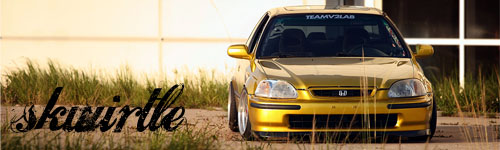
There are several ways to paint cars... I always do my selections of all of the painted parts with the pen tool and then create a new layer and actually paint it like you'd paint a car.
Then that layer can be adjusted any way you want... or even have multiple layers.
There is no one right way to paint a car... some people just adjust the settings of the paint that's already on the car but if you do it that way be sure to have made a duplicate layer underneath the one you change so you can delete all of the non car paint parts like windows and wheels and BG.
Then that layer can be adjusted any way you want... or even have multiple layers.
There is no one right way to paint a car... some people just adjust the settings of the paint that's already on the car but if you do it that way be sure to have made a duplicate layer underneath the one you change so you can delete all of the non car paint parts like windows and wheels and BG.

Super Dooooty
Joined: Aug 2006
Posts: 1,133
Likes: 0
i just select the painted body parts.
Image>adjustments>selective color
and mess with it through there and usually every time comes out really good...
Image>adjustments>selective color
and mess with it through there and usually every time comes out really good...
__________________
07 Mazdaspeed3-DD
SR'd Sil-Front 240 Coupe--Drift Toy

|------------------------------| ||
|....Overnight Parts From Japan....||'|";,__
|_..._...______________======| |_|_|...,]
"(@)'(@)''''''''''''''''''''''' '''''''''*|(@)(@)** **"(@)
07 Mazdaspeed3-DD
SR'd Sil-Front 240 Coupe--Drift Toy
|------------------------------| ||
|....Overnight Parts From Japan....||'|";,__
|_..._...______________======| |_|_|...,]
"(@)'(@)''''''''''''''''''''''' '''''''''*|(@)(@)** **"(@)

Post Deleting Expert.
Joined: Nov 2006
Posts: 2,889
Likes: 0
Working with the pen tool is something I need to practice more. No need fora tutorial though.
Do you guys ever work with luminosity masks? That's something I've been trying with my photos lately but I just don't seem to be able to get what I want out of it.
Do you guys ever work with luminosity masks? That's something I've been trying with my photos lately but I just don't seem to be able to get what I want out of it.
__________________


