


My XTi thread


0101000101111010100
Joined: Sep 2006
Posts: 894
Likes: 0

Well at the beginning it took me like 10 minutes to make the border and place the signature in, but now I have it saved on a transparent background so I just copy paste the border 
__________________
BA8 - gone
BB2 - gone
CD5 - broke.
BB1 - dd
BA8 - gone
BB2 - gone
CD5 - broke.
BB1 - dd

Heavy Artillery Co.
Joined: Jul 2004
Posts: 6,811
Likes: 0
I do it the long way and it only takes me a min or so... I guess its just because ive done it so many times...
__________________
http://www.facebook.com/album.php?ai...52072714808144
http://www.facebook.com/album.php?ai...52072714808144

Registered User
Joined: Jan 2007
Posts: 2,801
Likes: 0
Look in my photoshop thread guys, heres the direct link to my signature borders:
https://www.tamparacing.com/forums/s...93&postcount=3
https://www.tamparacing.com/forums/s...93&postcount=3

Thread Starter
Super Dooooty
Joined: Aug 2006
Posts: 1,133
Likes: 0
ehh i think i like the faded border look better..idk

__________________
07 Mazdaspeed3-DD
SR'd Sil-Front 240 Coupe--Drift Toy

|------------------------------| ||
|....Overnight Parts From Japan....||'|";,__
|_..._...______________======| |_|_|...,]
"(@)'(@)''''''''''''''''''''''' '''''''''*|(@)(@)** **"(@)
07 Mazdaspeed3-DD
SR'd Sil-Front 240 Coupe--Drift Toy
|------------------------------| ||
|....Overnight Parts From Japan....||'|";,__
|_..._...______________======| |_|_|...,]
"(@)'(@)''''''''''''''''''''''' '''''''''*|(@)(@)** **"(@)

Moderator
Joined: Jan 2004
Posts: 4,501
Likes: 0
lol you just go to image > canvas size and make it like .1 or .2 bigger lol it literally takes about 5 seconds, and you can make it as big or as small as you want
and you get this:
and you get this:
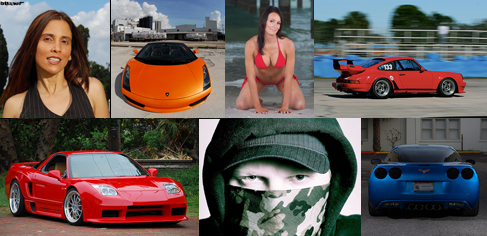
Last edited by btuner; Dec 26, 2007 at 09:54 AM.
Thread Starter
Super Dooooty
Joined: Aug 2006
Posts: 1,133
Likes: 0
And you guys think solid looks better than faded??
lol..
I was going to go out on the boat tommorow and shoot some pics out on the water , but just got a call , family emergency n i gotta go to a funeral tommorow
lol..
I was going to go out on the boat tommorow and shoot some pics out on the water , but just got a call , family emergency n i gotta go to a funeral tommorow
__________________
07 Mazdaspeed3-DD
SR'd Sil-Front 240 Coupe--Drift Toy
|------------------------------| ||
|....Overnight Parts From Japan....||'|";,__
|_..._...______________======| |_|_|...,]
"(@)'(@)''''''''''''''''''''''' '''''''''*|(@)(@)** **"(@)
07 Mazdaspeed3-DD
SR'd Sil-Front 240 Coupe--Drift Toy
|------------------------------| ||
|....Overnight Parts From Japan....||'|";,__
|_..._...______________======| |_|_|...,]
"(@)'(@)''''''''''''''''''''''' '''''''''*|(@)(@)** **"(@)
Moderator
Joined: Jan 2004
Posts: 4,501
Likes: 0
Yes i do, it looks a whole lot more professional and just cleaner
Registered User
Joined: Jan 2007
Posts: 2,801
Likes: 0
IMing you on AIM...


