


How To: Upload Pictures


Thread Starter
Nicolai
Joined: Oct 2005
Posts: 5,016
Likes: 0
 How To: Upload Pictures
Log into your account from http://photobucket.com/
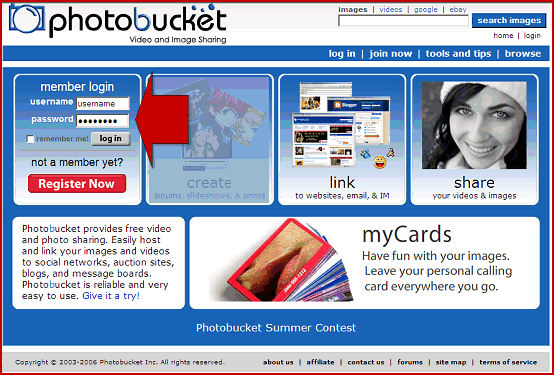
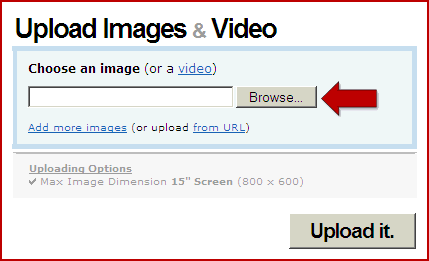
Click the 'Browse' button.
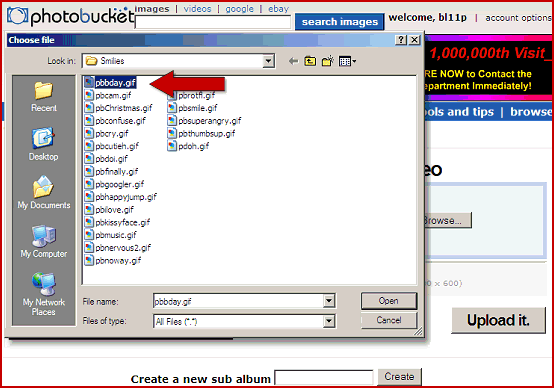
A new pop up window will open so you can browse your computer.
Find the image you want to upload, and double click on it.
Make sure the image name does not have any spaces or punctuation such as ' * ( / etc.
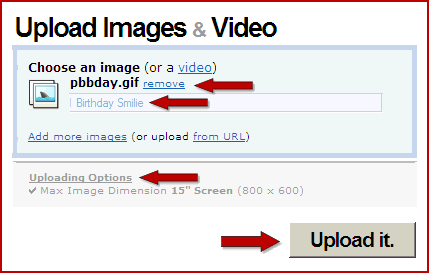
The browse button will disappear and you will see the image name.
Add an optional 'Tag' or 'Title' to your image. (This will display above the image in your album and will be accessible with 'Search' if your album is Public and is limited to 250 characters.)
If you want to resize the image while it is uploading click the 'Uploading Options' link and choose a different size. (The standard size that your album will first have selected is 800 pixels x 600 pixels.)
If you do not want your image resized, make sure that you have the largest option selected and that your picture is smaller than this size.
Click the 'Upload it' button.
The 'Upload it' button will gray out, and you will see the word Uploading.
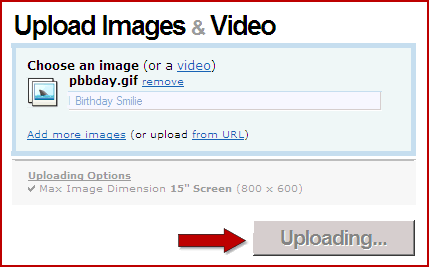
When it is done, you will see an 'Images uploaded!' message at the top of the page, and your image should be in your album.

Copy the last link and paste it in the forum
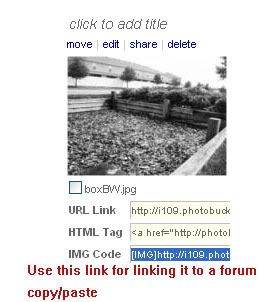
You are done!!
Click the 'Browse' button.
A new pop up window will open so you can browse your computer.
Find the image you want to upload, and double click on it.
Make sure the image name does not have any spaces or punctuation such as ' * ( / etc.
The browse button will disappear and you will see the image name.
Add an optional 'Tag' or 'Title' to your image. (This will display above the image in your album and will be accessible with 'Search' if your album is Public and is limited to 250 characters.)
If you want to resize the image while it is uploading click the 'Uploading Options' link and choose a different size. (The standard size that your album will first have selected is 800 pixels x 600 pixels.)
If you do not want your image resized, make sure that you have the largest option selected and that your picture is smaller than this size.
Click the 'Upload it' button.
The 'Upload it' button will gray out, and you will see the word Uploading.
When it is done, you will see an 'Images uploaded!' message at the top of the page, and your image should be in your album.
Copy the last link and paste it in the forum
You are done!!
__________________


 PBM fender roller for rent!!
PBM fender roller for rent!!
Last edited by robunicu; Apr 9, 2007 at 03:20 PM.
Thread Starter
Nicolai
Joined: Oct 2005
Posts: 5,016
Likes: 0
and for imagashack.com
- Go to http://imageshack.us/
- "Browse" to the location on your PC where the image resides
- Then click the "Host it" button
- After the file is done uploading choose the appropriate image code from the list, "thumbnail for forums" is good
- Left click on the code to highlight the code
- Then right click and COPY the code.
- Come back here and right click and PASTE the code into your next post.
__________________
PBM fender roller for rent!!
PBM fender roller for rent!!



back in a 4g63
Joined: Jul 2006
Posts: 2,549
Likes: 0
good writeup. although it WAS my idea... 
should be a sticky
should be a sticky
__________________

"All I can tell you is... the gun had an owner, something happened, and suddenly the gun didnt have an owner anymore."
"All I can tell you is... the gun had an owner, something happened, and suddenly the gun didnt have an owner anymore."


