Are your battery terminals gross? It might be time to look at them.
Or do you wait until the car won't crank, and you need to drive somewhere?
Caution: There is ALWAYS a mist of acid on a battery. Wear gloves or wash hands thoroughly ! Avoid touching anything after touching a battery.
By J.A. Ackley
Dec 2, 2025 |
batteries | Posted in
Shop Work ,
Electronics & Electrical Systems |
Never miss an article
Is your car hard to start? Electronics not working right? Key fob being persnickety? Did you check your battery’s terminals?
“It’s extremely common,” our expert, Jed Emert of XS Power, says of corroded battery terminals. “The battery is usually among the least inspected items on a car–until it doesn’t work. The good thing is you can usually address the problem and fix it.”
Jed says terminals can become magnets for buildup due to moisture, poor connections and even from the acid of the battery itself. That buildup interferes with the battery doing its job–and it also decreases its life. Symptoms include poor starting and, especially in more modern vehicles, funky electrical issues. For example, the key fob in our pictured example would sporadically work. After cleaning the battery terminals, both the car and key fob work without hiccups.
Cleaning battery terminals is relatively easy, but let’s talk safety first. Since there’s the possibility of exposure to battery acid and other harsh chemicals, please take precautions. Wear safety goggles and gloves.
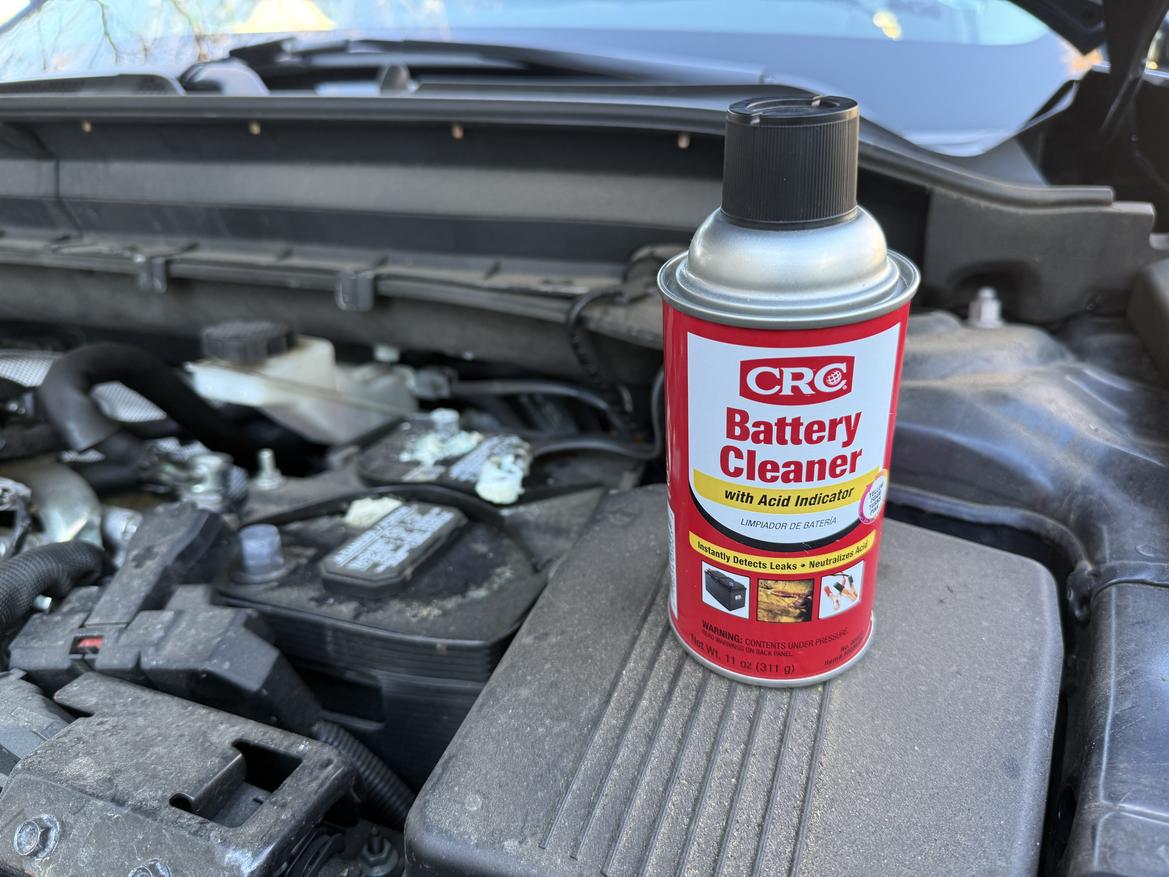
Now that you’re prepared, start by unbolting the cable from the negative terminal of the battery and then the positive one. With the cables detached, clean the cable ends and terminals with either a mixture of baking soda and water (a couple of tablespoons of the baking soda per a cup of water) or a battery cleaner like the one CRC offers. Both products help neutralize any battery acid present. The nice thing about the CRC Battery Cleaner is that it turns pink in the presence of acid.
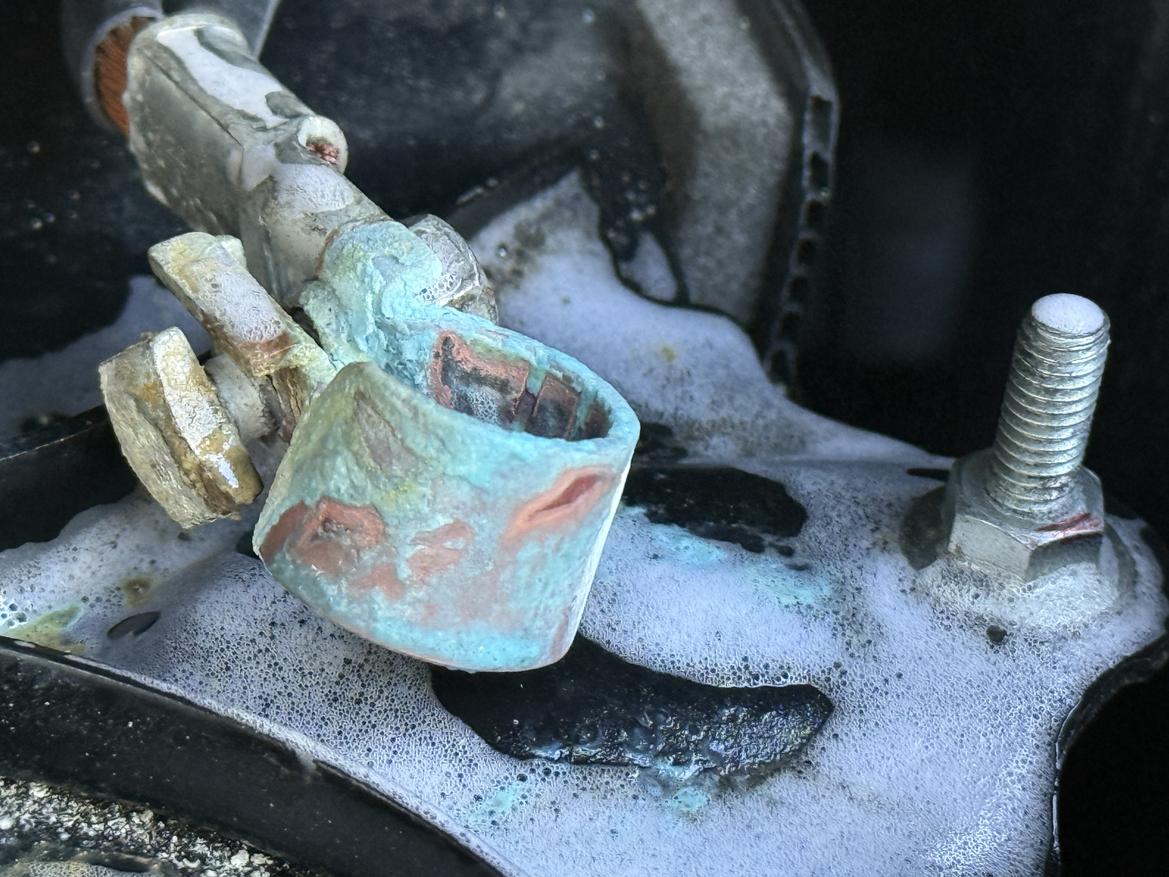
Apply the baking soda mixture with an old toothbrush or simply spray the battery cleaner on the terminals and connections. Let the cleaning product sit for a few minutes and then scrub away with a toothbrush or a nylon wire brush. Repeat as necessary.
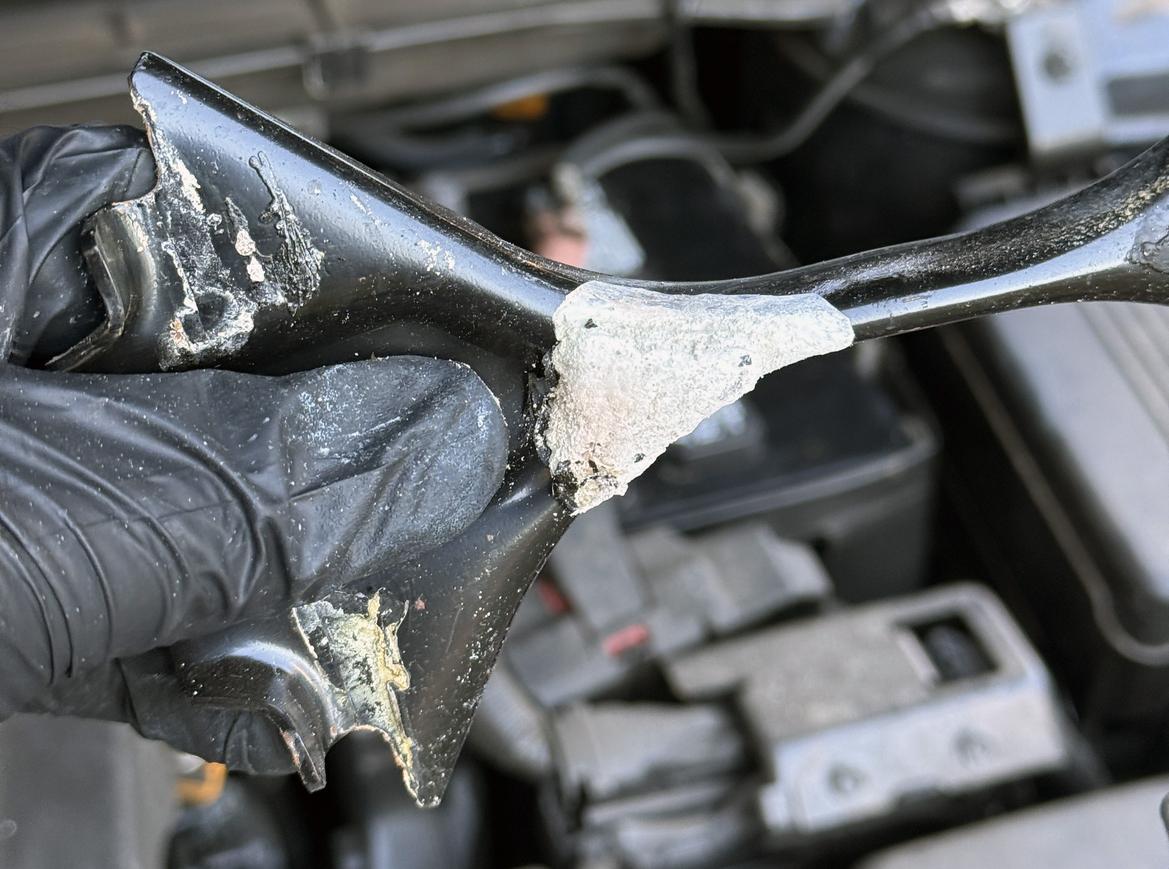
Don’t forget to clean the battery’s exterior and its hold-down with a cloth–we prefer a microfiber one since it better traps all the corrosion bits. We removed the hold-down to the battery in our example and it had buildup underneath it. There we found the root cause: Someone overtightened the hold-down and cracked the top of the battery.
After all this scrubbing, things should look a bit better. Rinse off all the washed areas with water (we prefer distilled, if possible), wipe them down and let them dry. After that, use either felt washers (available from your parts store) or a product like CRC Battery Terminal Protector. Both inhibit corrosion buildup. CRC’s product sprays on with a red film. In time, that red film turns clear, which means it’s time for another cleaning.
Now with everything looking spotless and protected, reconnect the battery cables, starting with the negative terminal first–and make sure those connections are tight. There, you’re all set for your next drive.
Did we leave out to put dialectric grease on every part of terminal and cable.....or you will be sorry.....
And clean off your tools with brake clean.....otherwise you are spreading the acid with everything which the tools touch